Go from gathering feedback to building a product roadmap in minutes
ProductSight is the AI-powered Swiss Army knife for product managers.
Import feedback from a CSV or Google Sheet, generate insights, draft PRDs, and add them straight to your product roadmap.
No credit card required · Up and running in minutes
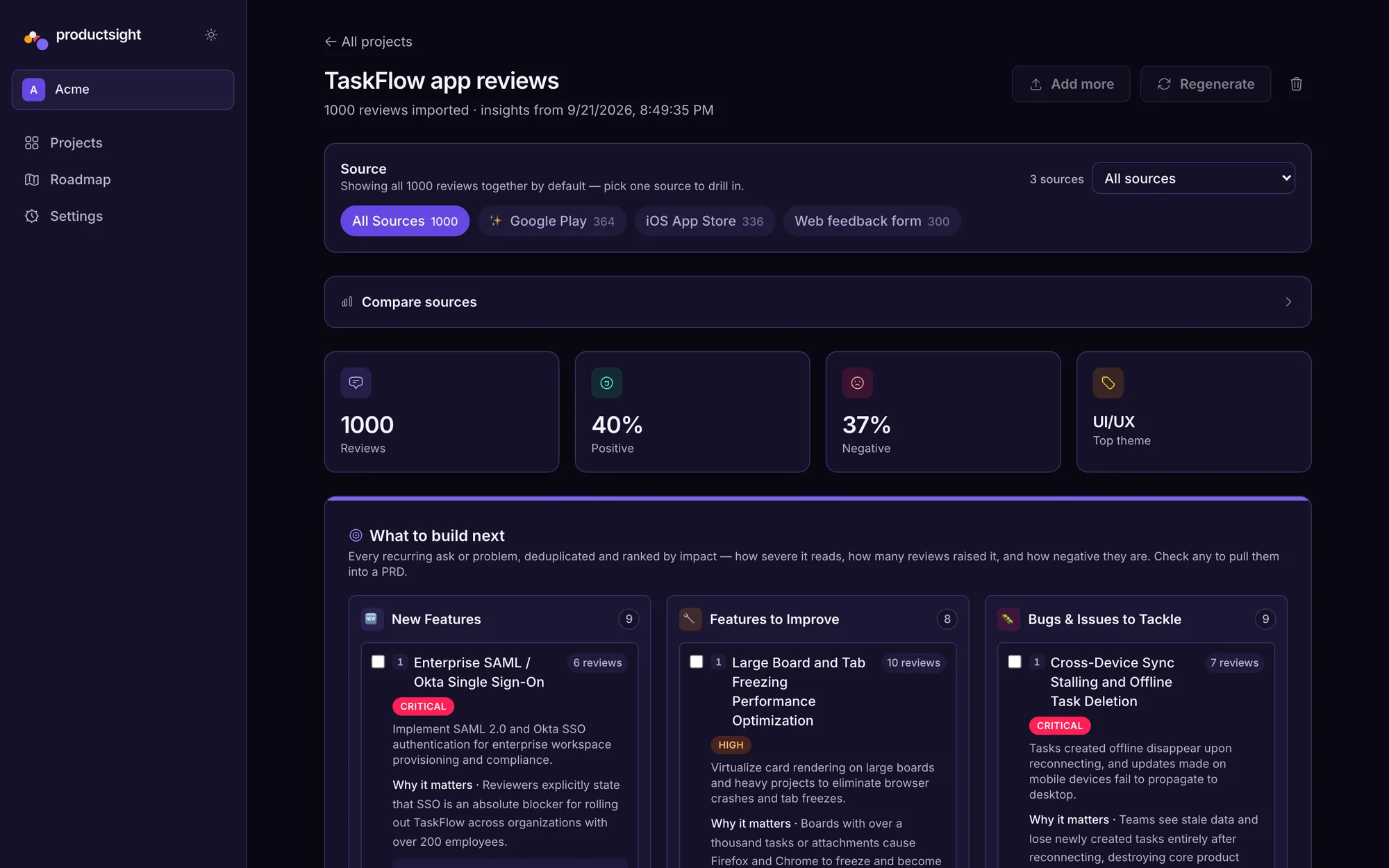
From feedback to shipped roadmap
ProductSight is built around four connected steps, from raw feedback to a roadmap your team can act on.
From spreadsheet to roadmap, step by step
Real screens from the app, using a sample dataset of 1,000 app-store reviews.
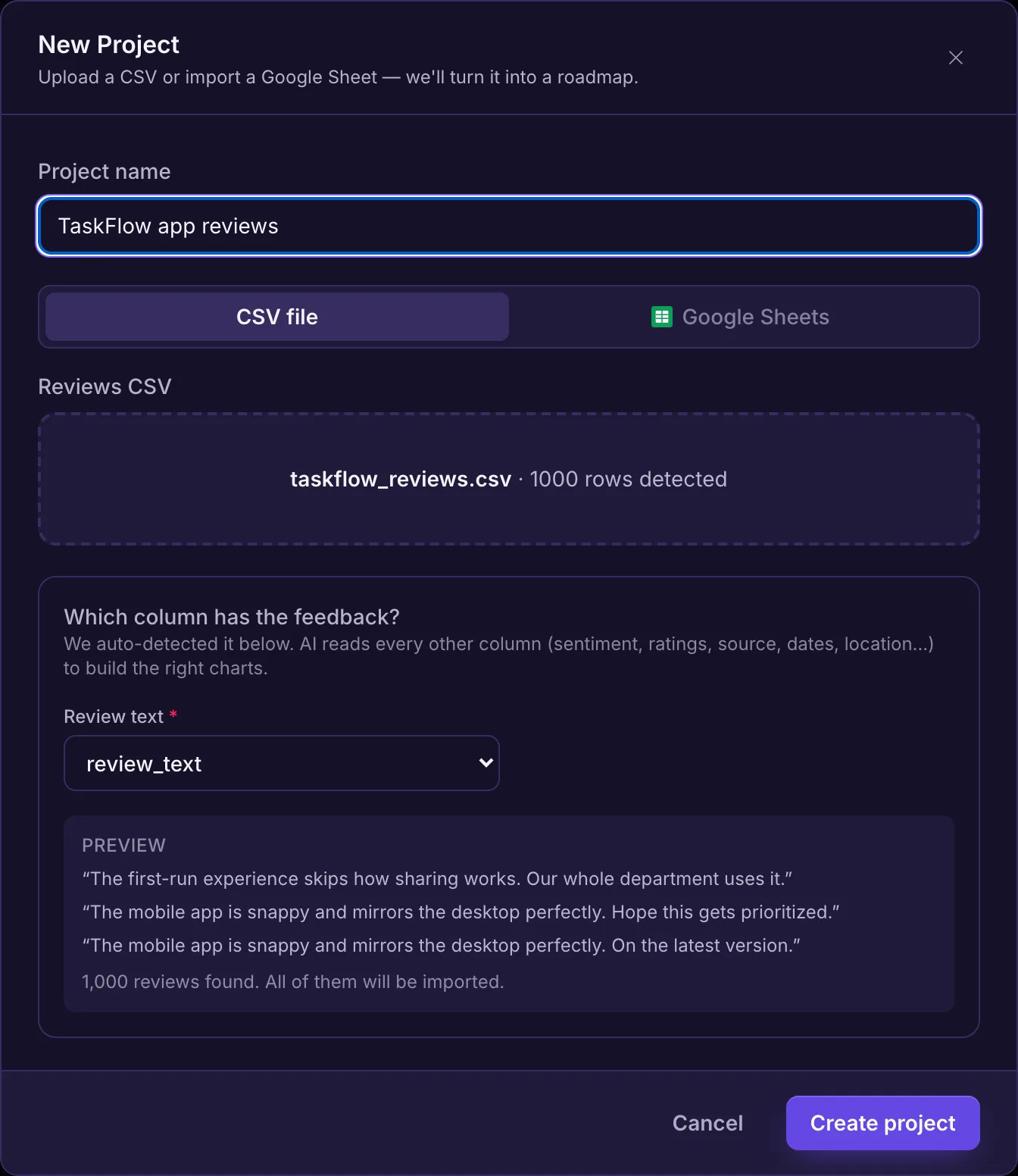
Import a CSV or Google Sheet
Drop in your file, confirm which column holds the feedback text, and ProductSight reads the rest — ratings, sources, dates — to build the right charts.
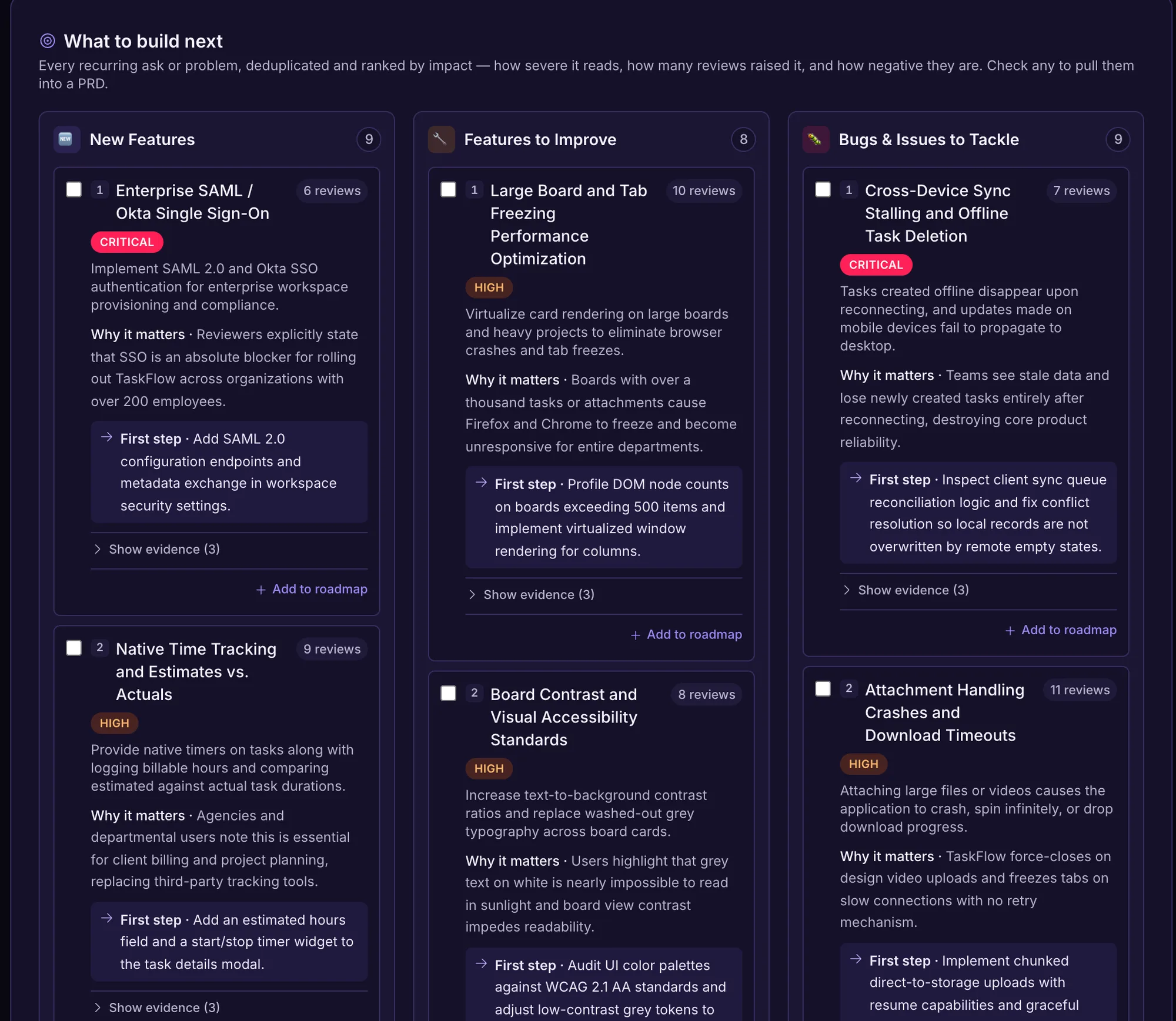
See what to build next
AI groups feedback into themes and ranks new features, improvements and bugs by how severe they are and how many people raised them — with the real quotes behind each one.
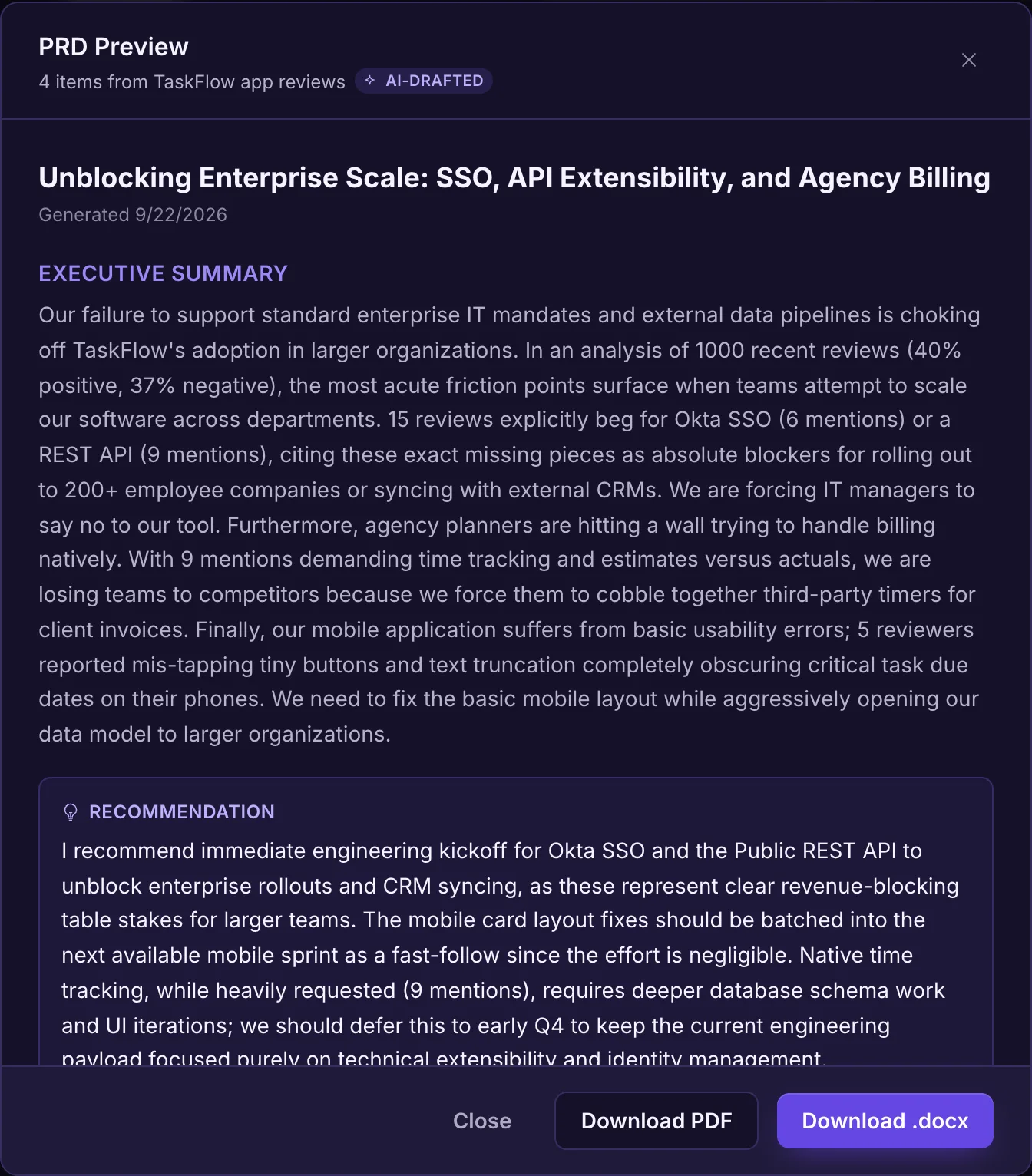
Draft a PRD from the evidence
Tick the items you want to act on and get a PRD draft — executive summary, objectives, success metrics and a write-up per item — ready to export as Word or PDF.
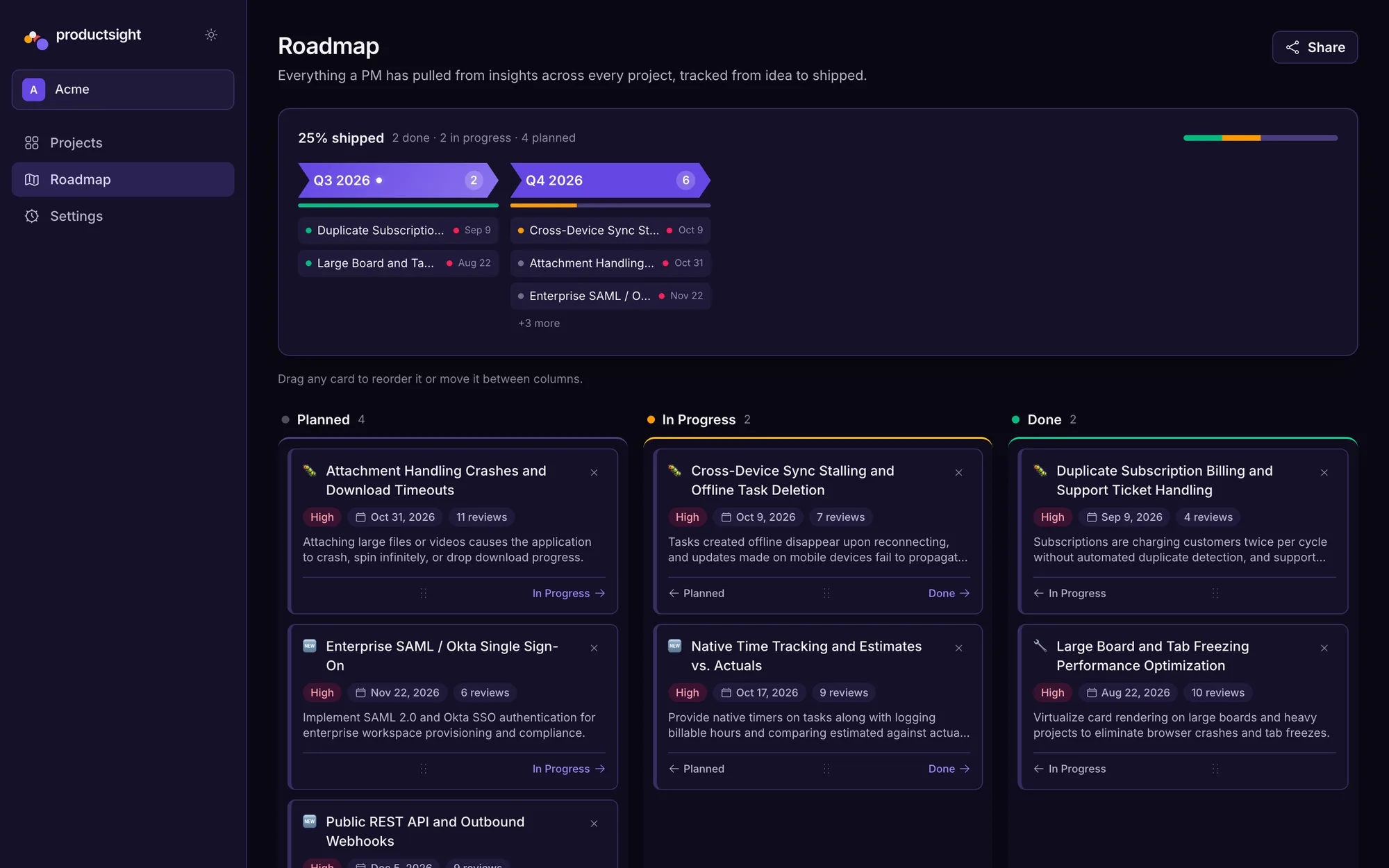
Plan the roadmap and share it
Send items to a board and timeline, drag them between planned, in progress and done, and share a read-only link so stakeholders can follow along.
How feedback gets in
Upload a CSV or connect a Google Sheet — every row lands in one project, auto-classified by AI. More ways to collect are on the way.
CSV upload
Drag a .csv of reviews, survey exports, or support tickets into a project. ProductSight detects the feedback column and reads every other column — ratings, source, dates — to build the right charts.
Google Sheets import
Pick a spreadsheet from Google's file picker or paste a public sheet link. No export step — and re-import any time: rows you've already imported are skipped.
Custom templates
NPS, feature request, bug report and CSAT templates.
Embeddable widget
A feedback button inside your own product.
Shareable feedback link
Collect responses without requiring an account.
REST ingestion API
Send feedback in programmatically.
Tool integrations
SurveyMonkey, Typeform, Zendesk and Intercom.
Live in three steps
Import your feedback
Upload a CSV or connect a Google Sheet — ProductSight reads every column and gets it ready for analysis.
Responses land in one inbox
Every source flows into the same project, tagged with where it came from, ready to search and filter.
Get insights, PRDs and a roadmap
ProductSight clusters your feedback into themes and priorities, drafts PRDs from them, and adds the items straight to your roadmap.
Ready to go from feedback to roadmap?
Import your first CSV or Google Sheet and see insights in minutes. Your users’ best ideas are already in there.
Your feedback is never used to train AI models. Read our privacy policy